Download a free training certificate template in Microsoft Word and fill it in for each employee or attendee after a course. There are two designs, Classic and Modern, and both open as editable Word files inside a .zip download with no sign-up. Use them for safety sessions, staff workshops or instructor-led courses when you need a printable record that someone completed the training.
Free training certificate templates to download
Classic
A formal framed certificate that suits companies, safety coordinators and accredited-style courses.
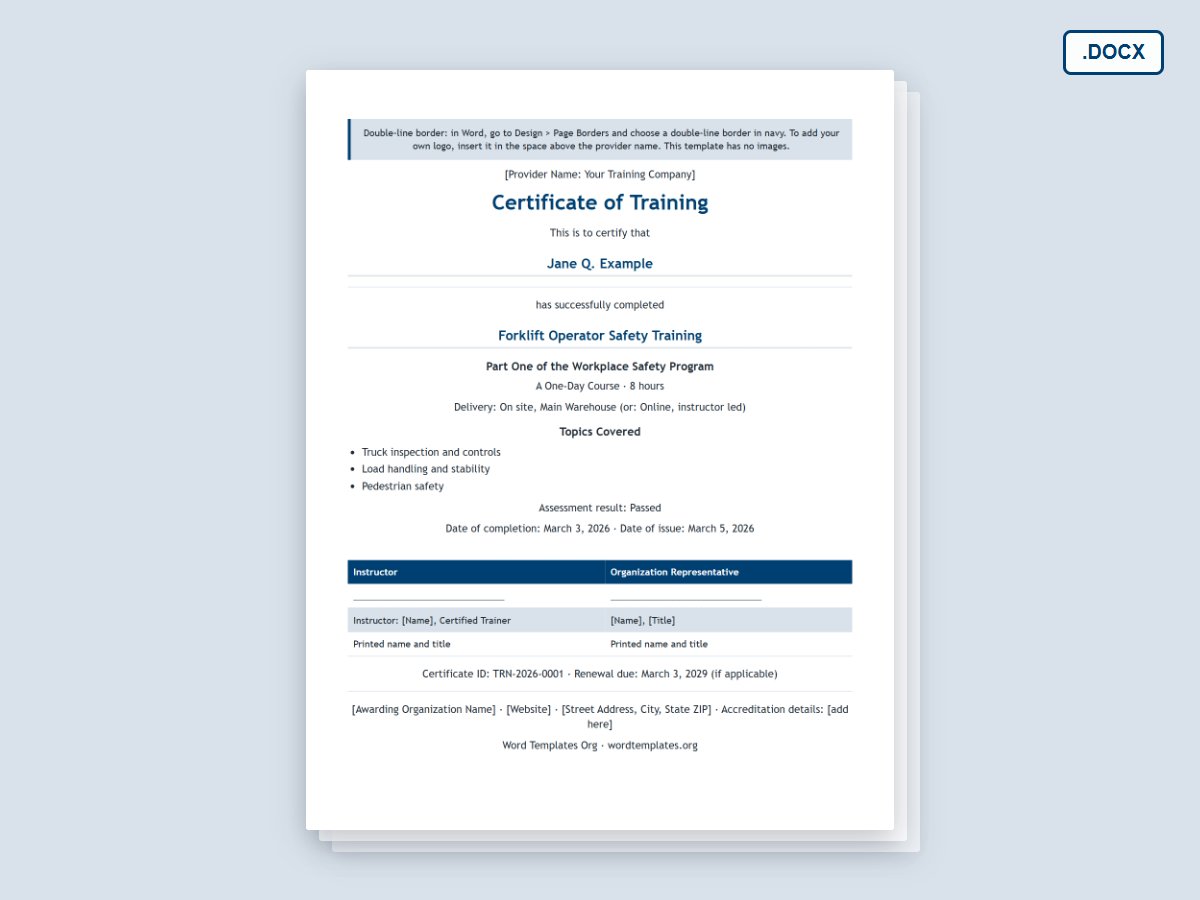
Get the template:
Modern
A clean, simple certificate for small businesses and instructors who print on plain paper or share a PDF.
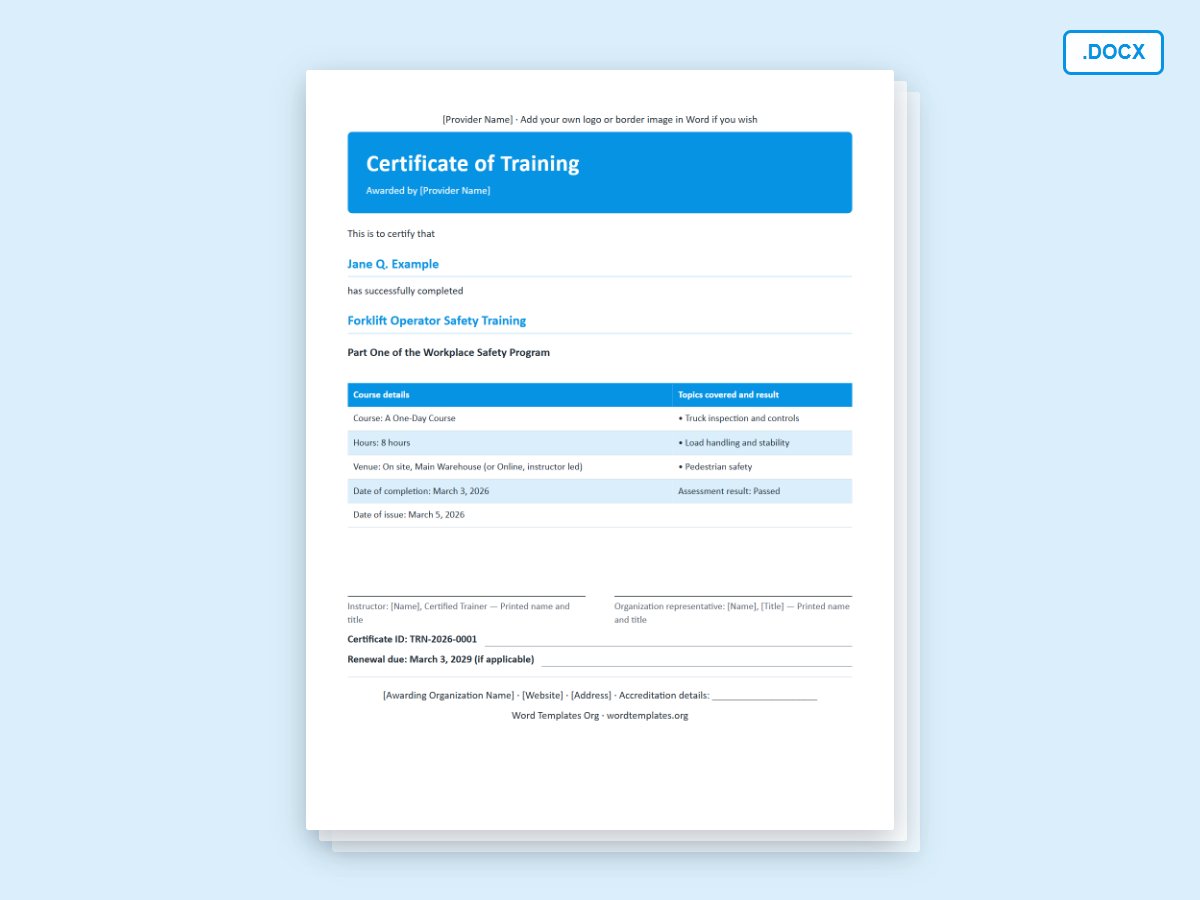
Get the template:
What is included
Both designs open with a “Certificate of Training” heading, then the recipient’s name, the course title and a sub-heading. The samples use Jane Q. Example, Forklift Operator Safety Training and Part One of the Workplace Safety Program. These cover the core details a training certificate needs: who was trained and on what.
The Classic design is a formal certificate with a Topics Covered section and a table for the Instructor and an Organization Representative. It suits companies, safety coordinators and accredited-style courses.
The Modern design is cleaner and prints well on plain paper. It has a table for course details and for the topics covered and result, signature lines, a Certificate ID field (TRN-2026-0001 in the sample) and a “Renewal due” field marked “if applicable” for training that has to be repeated. Use the course details table for the completion date, hours, and venue or delivery method.
Both designs download as editable Word files. Google Docs and LibreOffice Writer can usually open them, though fonts and spacing may shift slightly.
How to fill it in
- Unzip the download and open the Word file.
- Replace the sample entries, such as Jane Q. Example and Forklift Operator Safety Training, with your own recipient and course.
- Describe the duration in words, for example “A Two-Day Course”, and enter the exact hours beside it. On Modern, the course details table is the natural place for both.
- On Modern, delete the renewal line if the training does not expire.
- Give each certificate its own ID number so you can match it to your records later.
- Print the certificate and sign it by hand.
Print on good-quality paper. Black-and-white printing works well for certificates, so you do not need a color printer.
If the session was a workshop rather than a formal course, the workshop participation certificate template may be a better fit.
Before you rely on it
No general US law requires a particular layout for a training certificate. Some OSHA standards do require specific training records, and the required details differ from one standard to the next. A compliance writer’s summary of OSHA’s rules gives some examples. Lockout/tagout records need each employee’s name and training dates. Forklift records need the operator’s name, the training date, the evaluation date and the identity of the trainer or evaluator. Check the standard that applies to your training and add any missing details to the certificate or your records.
Regulated training, such as equipment operation or first aid, only counts if the provider is authorized for it. Filling in a certificate does not make a course accredited.
A certificate also does not replace your own written training program. To plan who needs which course and when, start with a staff training plan template. This template is a general example and is not legal advice.
Completion, attendance and skill certificates
Training certificates fall into three common types, and they are not interchangeable.
- Completion certificate: The course title and completion date are the key details. Either design works well here.
- Attendance certificate: Record accurate hours, especially if the certificate will be used for continuing education credit. The hours need to stand up if someone checks them.
- Skill check certificate: Include the assessment result. Modern’s topics covered and result table gives you room for it.
Most training certificates do not expire. Some, such as CPR, AED and OSHA certificates, may carry an expiry date set by regulation, which is what Modern’s renewal field is for.
Whichever type you issue, keep a signed copy of each certificate with your training records. The certificate ID makes it easier to find the right one when you need it.

MK Farooq, a Master’s degree holder in Computer Science, is driven by a passion to assist people in their daily tasks through the provision of high-quality documents and templates. With a strong foundation in technology and a keen understanding of documentation processes, MK Farooq has dedicated his career to simplifying the lives of individuals and businesses alike.
Leveraging his expertise, MK Farooq creates meticulously crafted templates and documents that cater to a wide range of needs, from project management to personal organization. His work is not just about providing tools but about empowering users to achieve efficiency and effectiveness in their endeavors.