Download a free timesheet template in Word to record daily in and out times, unpaid breaks, regular hours and overtime for each workweek. Choose Classic Payroll for an office or HR team that submits sheets to payroll, or Simple Small Business for hourly staff and contractors who print and fill in by hand. Both designs are free, with no sign-up needed.
Free timesheet templates to download
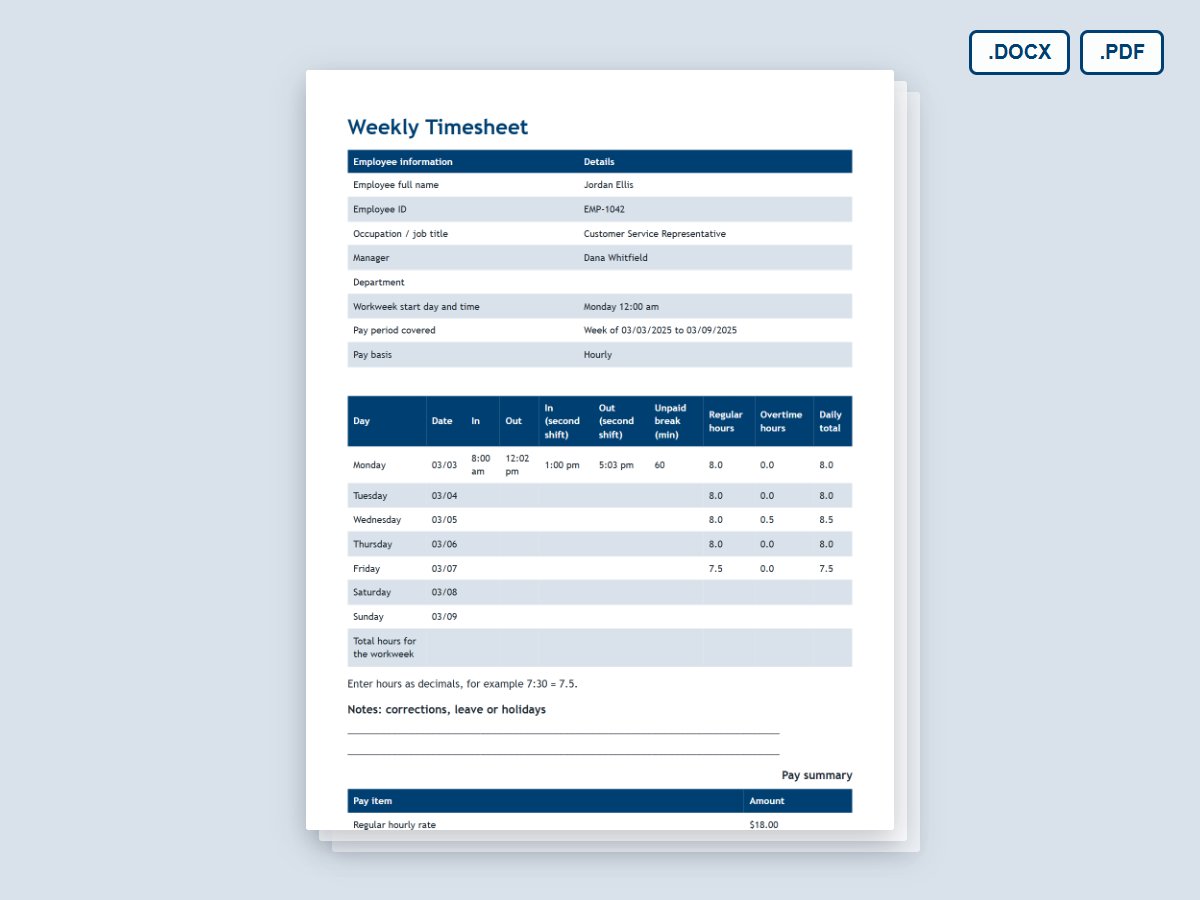
Classic Payroll
A formal, gridded weekly timesheet in navy that suits offices and HR teams submitting to payroll.
Get the template:
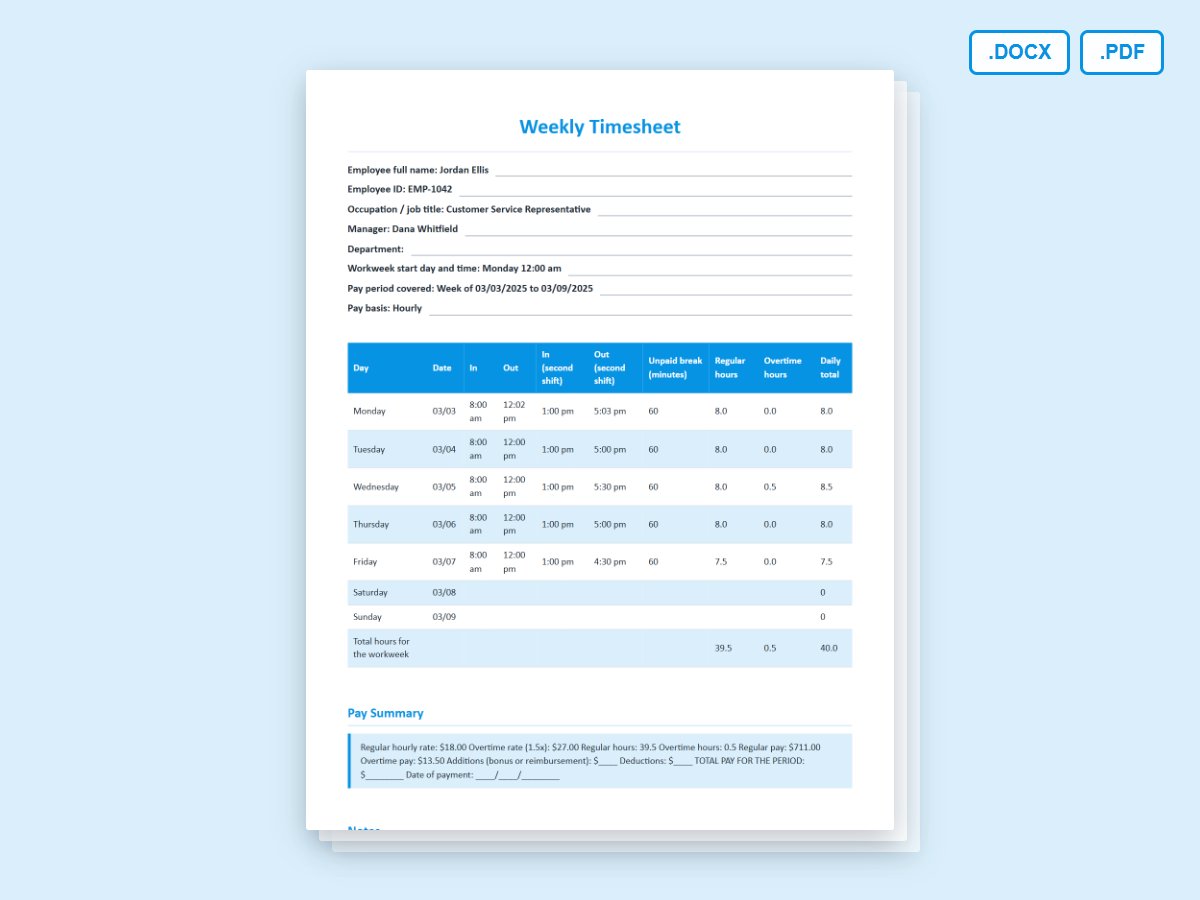
Simple Small Business
A friendly, airy timesheet in green with larger spacing, good for small businesses, hourly staff and contractors who print it.
Get the template:
What is included
Both designs are single-page weekly timesheets with the same daily layout, so you can pick whichever style suits your workplace.
- Employee details at the top. Simple Small Business has fields for full name, employee ID, occupation or job title, manager, department, workweek start day and time, pay period covered and pay basis. Classic Payroll puts employee information in a tidy details table.
- A daily hours table. Each row covers one day, with columns for date, in and out times, a second in and out pair for a split shift, unpaid break minutes, regular hours, overtime hours and a daily total.
- A pay summary. Classic Payroll has a table with pay item and amount columns. You can list regular pay, overtime pay, additions, deductions and total pay there. Simple Small Business has its own Pay Summary section.
- Notes and signatures. Both include a notes area and signature lines. Classic Payroll adds an approval section.
- A filled-in example. Simple Small Business comes filled in for a sample employee, Jordan Ellis, for the week of 03/03/2025 to 03/09/2025. Use it as a model, then type over it with your own details.
How to fill it in
- Set up the header. Enter the workweek start day and time, then the dates of the pay period the sheet covers.
- Record each day's times. Fill in the in and out times. If someone works a split shift, use the second in and out columns.
- Subtract unpaid breaks. Enter the break in minutes, then remove it from the time worked.
- Type hours as decimals. Payroll usually works in decimal hours, so 30 minutes is 0.50 hours. That means 7 hours 30 minutes is 7.5 hours, not 7.3.
Count overtime by workweek. Overtime for non-exempt workers is worked out per workweek. If you pay biweekly, keep a separate total for each week. Use one sheet per week and work out overtime for each sheet on its own. Adding two weeks together first is a common mistake that can hide overtime.
Semi-monthly pay periods usually split at the 15th of the month. Overtime is still counted by workweek, even when a week runs across two pay periods.
Keep corrections visible. If a time changes, note it in the notes area rather than quietly overwriting it. Use the same space to mark leave or holidays, so the record stays complete and accurate.
Records, overtime and state rules
The federal Fair Labor Standards Act does not require any particular form. It does require employers to keep certain details for each non-exempt worker, according to the Department of Labor's recordkeeping fact sheet. These include:
- the time and day the workweek begins
- hours worked each day
- total hours each workweek
- the basis of pay, such as an hourly rate
- overtime earnings, additions and deductions
- total wages for each pay period
Some of these details, such as a Social Security number or address, may live in your payroll system rather than on the timesheet.
Payroll records should be kept for at least three years. Time cards and work schedules should be kept for at least two years. You can store them at the workplace or in a central records office.
Some states add their own rules. California, for example, has daily overtime. Check your state and local requirements before relying on any layout.
Salaried exempt staff generally do not need hourly tracking. Please treat these templates as a starting point, not as legal or payroll advice.
Common questions
Is it free?
Yes. Both designs are free to download, and you don't need an account.
Can I use it in Google Docs or LibreOffice?
They can usually open the Word file, but fonts and spacing may shift slightly. Check the layout before you print.
Do I need signatures?
Federal recordkeeping rules don't require a signature on a timesheet. Many employers still like an employee and manager signature as a sign of approval.
Can I track attendance instead of hours?
If you only need to mark who was present, an attendance sheet template may be simpler.
Want more layouts?
Browse the larger collection on our timesheet templates page.

MK Farooq, a Master’s degree holder in Computer Science, is driven by a passion to assist people in their daily tasks through the provision of high-quality documents and templates. With a strong foundation in technology and a keen understanding of documentation processes, MK Farooq has dedicated his career to simplifying the lives of individuals and businesses alike.
Leveraging his expertise, MK Farooq creates meticulously crafted templates and documents that cater to a wide range of needs, from project management to personal organization. His work is not just about providing tools but about empowering users to achieve efficiency and effectiveness in their endeavors.