You can download two free seminar participation certificate templates as editable Microsoft Word files: Classic and Modern. Use them to recognise the people who took part in your seminar, training session or talk. Fill in the participant’s name, the seminar topic, the date and the hours attended, then print and sign. There is no sign-up, and both designs open in Word.
Free seminar participation certificate templates to download
Classic
A formal bordered certificate with centred serif text, suited to institutions, professional associations and corporate training.
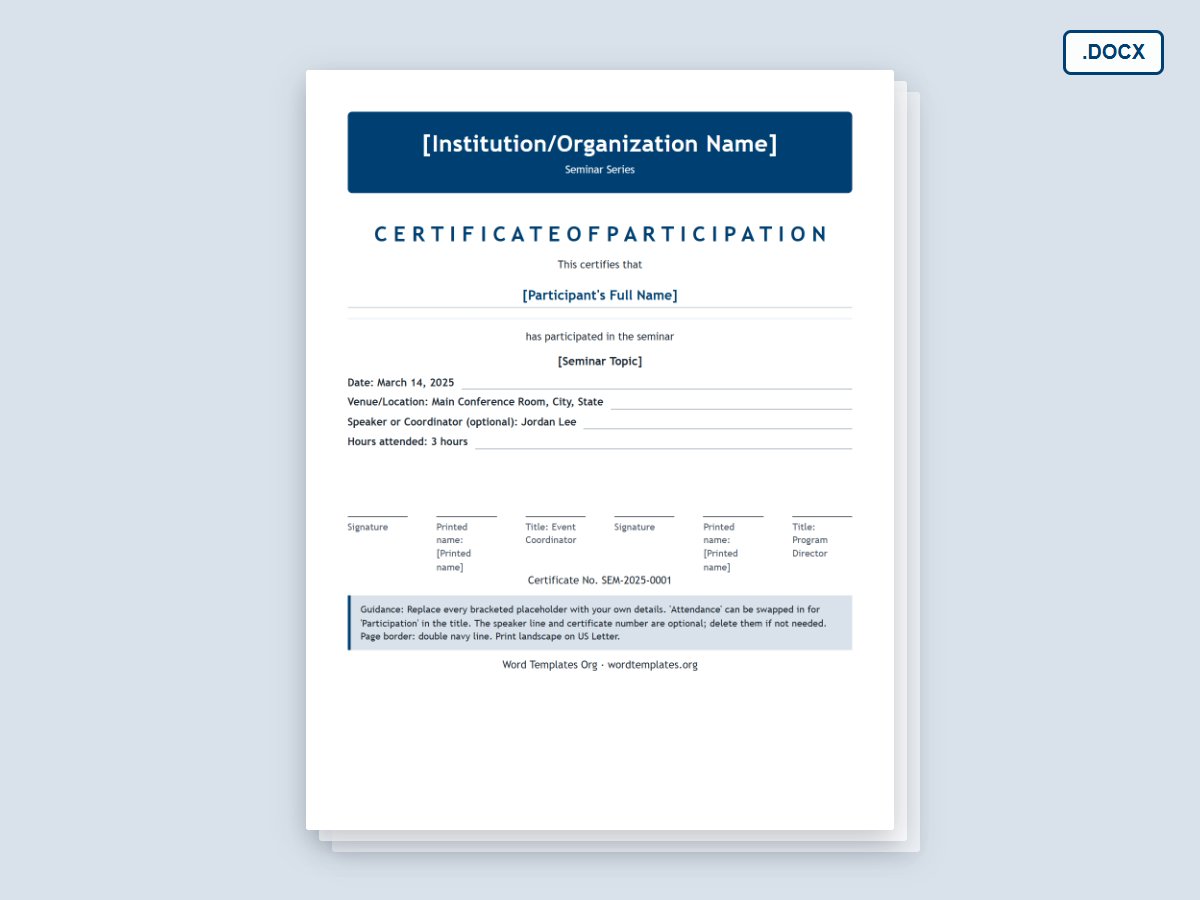
Get the template:
Modern
A clean, colour-banded design for small businesses, workshops and schools that want a fresh, friendly look.
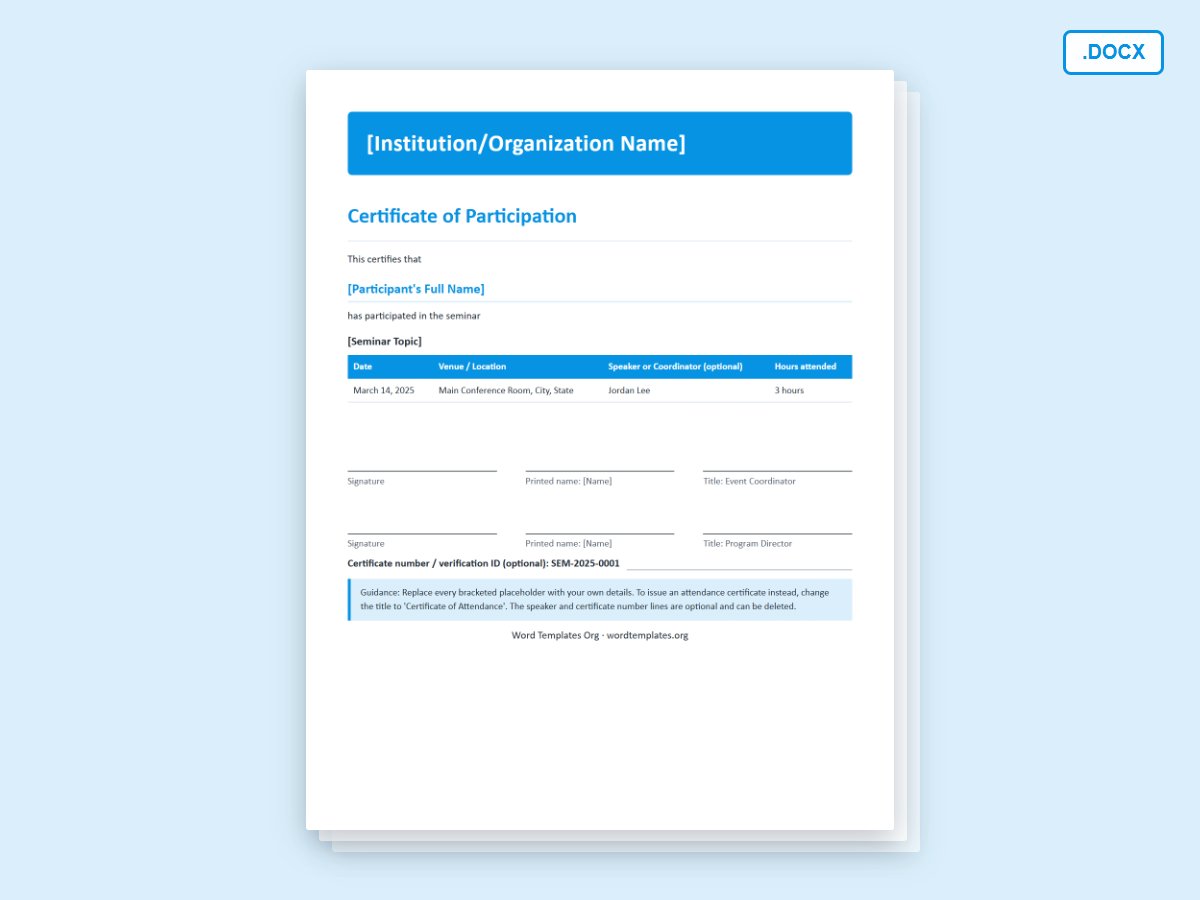
Get the template:
What is included
Each design is a single Word document with placeholder text in square brackets, so you can see at a glance what to replace. At the top is [Institution/Organization Name], then the certificate title, then [Participant’s Full Name] and [Seminar Topic].
Both designs have places for these details:
- Date
- Venue or location
- Speaker or coordinator (optional)
- Hours attended
- Signature lines
Classic is a formal bordered certificate with centred serif text and the title “Certificate of Participation.” Its detail fields come filled with sample entries, such as “March 14, 2025,” “Main Conference Room, City, State,” “Jordan Lee” and “3 hours,” so you can see the expected format before you type over them. It suits institutions, professional associations and corporate training.
Modern is a clean, color-banded design. It sets out the date, venue, speaker and hours in a table. It also adds an optional certificate number or verification ID field, with a sample entry of “SEM-2025-0001.” It suits small businesses, workshops and schools that want a fresh, friendly look.
How to fill it in
- Download the .zip file for the design you want. Windows and macOS can open it without extra software, and you don’t need an account.
- Open the Word file and replace each bracketed placeholder with your organization’s name, the seminar topic and the participant’s full name.
- Type over the sample date, venue, speaker and hours with your own details. If you use Modern, enter a certificate number or delete that line.
- Save the file under a new name before you start on the next participant.
For a group, save one copy per person. Alternatively, keep a list of names and dates in a spreadsheet and use Word’s mail merge to fill the name field for everyone at once.
Print on white or cream card, then sign by hand on the signature lines. Google Docs and LibreOffice Writer can usually open the files, but fonts and spacing may shift a little, so check the layout before printing.
If your event was hands-on rather than a talk, the workshop participation certificate template may be a closer fit.
Participation, attendance or completion?
These three titles sound alike, but they say different things about the person receiving the certificate.
- Participation recognises that someone took part in an event. They don’t need to pass an assessment to receive it. It is the usual choice for seminars, workshops, webinars and training sessions.
- Attendance is the better title when people mainly listened rather than took an active part, as in a lecture-style seminar. You can change the title line in either design to “Certificate of Attendance” if that fits better.
- Completion confirms that someone finished a course and met its requirements. If your seminar ended with a test or required coursework, use a completion certificate instead of this one.
Using it for continuing education hours
No general law requires a seminar certificate. Many organizers simply give one as a record and a thank-you.
Things change when attendees want to count the seminar toward a professional license. Some state licensing boards accept seminar hours as continuing education (CE), and they may say exactly what the certificate must show. The Illinois rule for dietitians is one example. It requires the certificate to include:
- the sponsor’s name, address and license number
- the participant’s name and address
- a brief statement of the subject
- the number of hours attended
- the date and place
- the sponsor’s signature
Under that rule, the hours must come from verified attendance at an approved sponsor’s program. Sponsors must also keep attendance records for at least five years.
Rules differ by board and profession, so check the one that applies to you before you issue certificates for CE purposes. You can add any extra lines it requires to either Word file.
Keep in mind that a participation certificate on its own is not an accredited CE record unless the sponsor is approved. These templates are general documents, not legal advice.
Because some boards may ask for evidence, it is also worth keeping a sign-in sheet for each seminar. That way you can show who attended and for how long.

MK Farooq, a Master’s degree holder in Computer Science, is driven by a passion to assist people in their daily tasks through the provision of high-quality documents and templates. With a strong foundation in technology and a keen understanding of documentation processes, MK Farooq has dedicated his career to simplifying the lives of individuals and businesses alike.
Leveraging his expertise, MK Farooq creates meticulously crafted templates and documents that cater to a wide range of needs, from project management to personal organization. His work is not just about providing tools but about empowering users to achieve efficiency and effectiveness in their endeavors.